Inspiration & Tools
Bring together tapware, basins, sinks and accessories in one place. Try finishes side by side and see how your space comes together before you buy.


A mood board is a collage of the colours, textures and products you’re considering for a room. It’s the quickest way to set a style direction and test a palette.
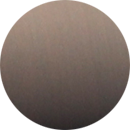
Seeing your tapware, basin, sink and accessories together shows you whether Dusk Bronze sits right with your stone, or whether Brushed Nickel suits the tiles better, long before anything is installed.
Plan with the exact pieces you’ll be installing, not stock images or guesswork.
Every piece comes from our catalogue.
Move pieces around, swap finishes and try different combinations in seconds.
Keep your board, or send it to your builder, designer or stockist.
Select Create a mood board to start a fresh board.
Browse our collections and drop tapware, basins, sinks and accessories onto your board.
Swap finishes, add textures and adjust the layout until it feels right.
Save your board, download it, or share it with the people helping you build.